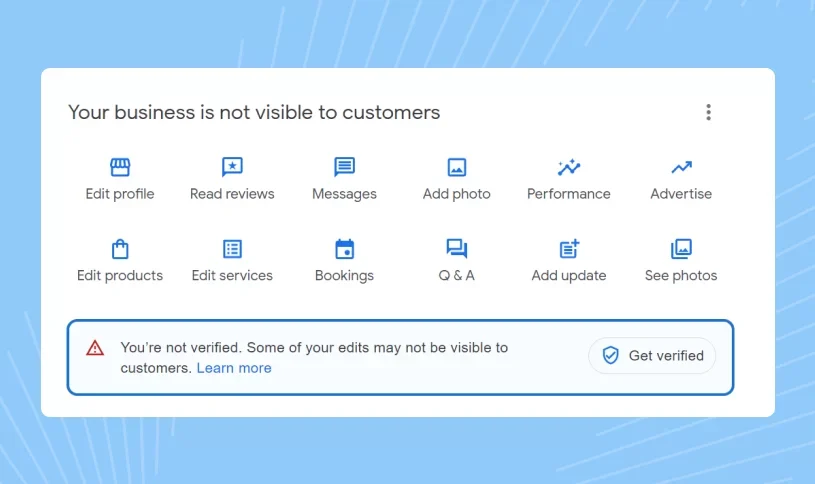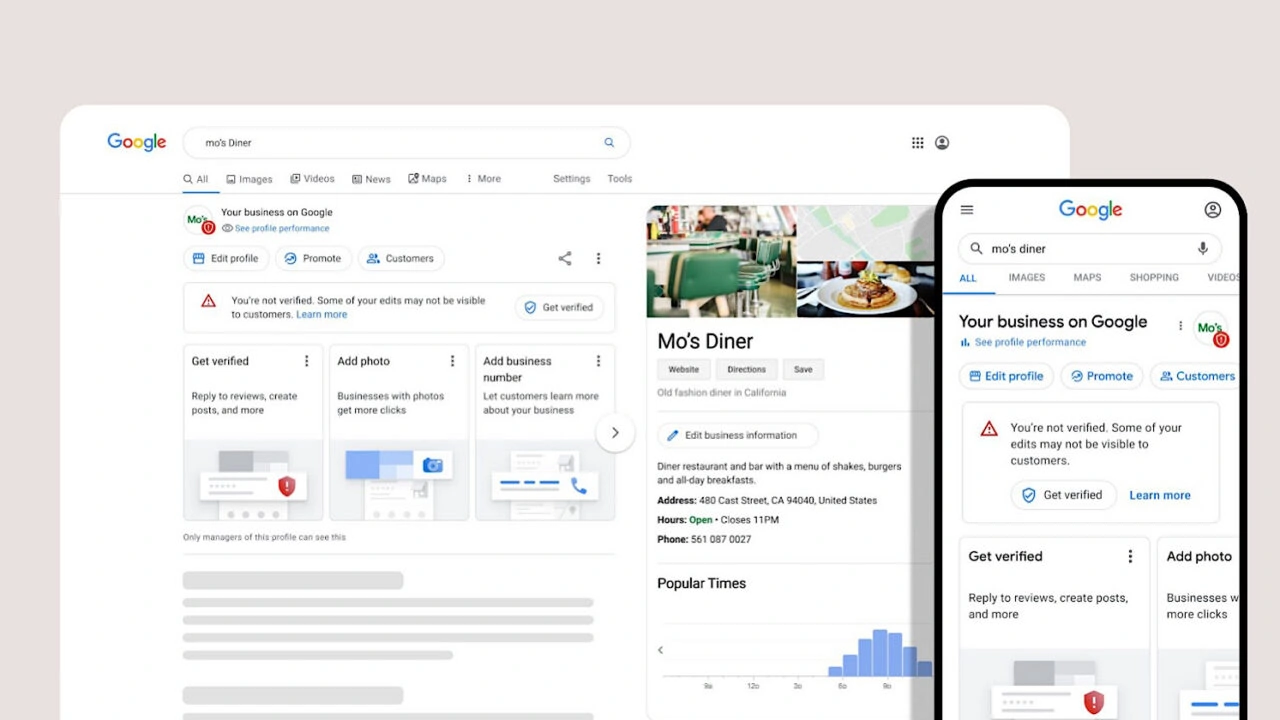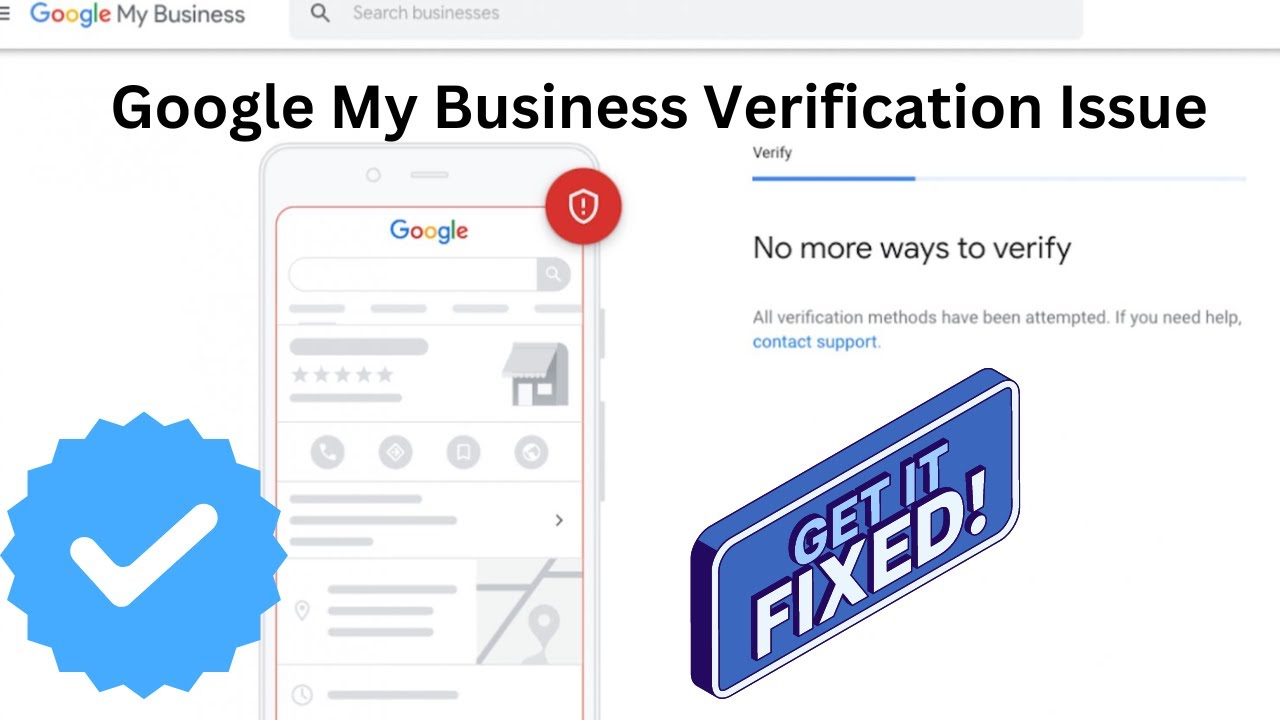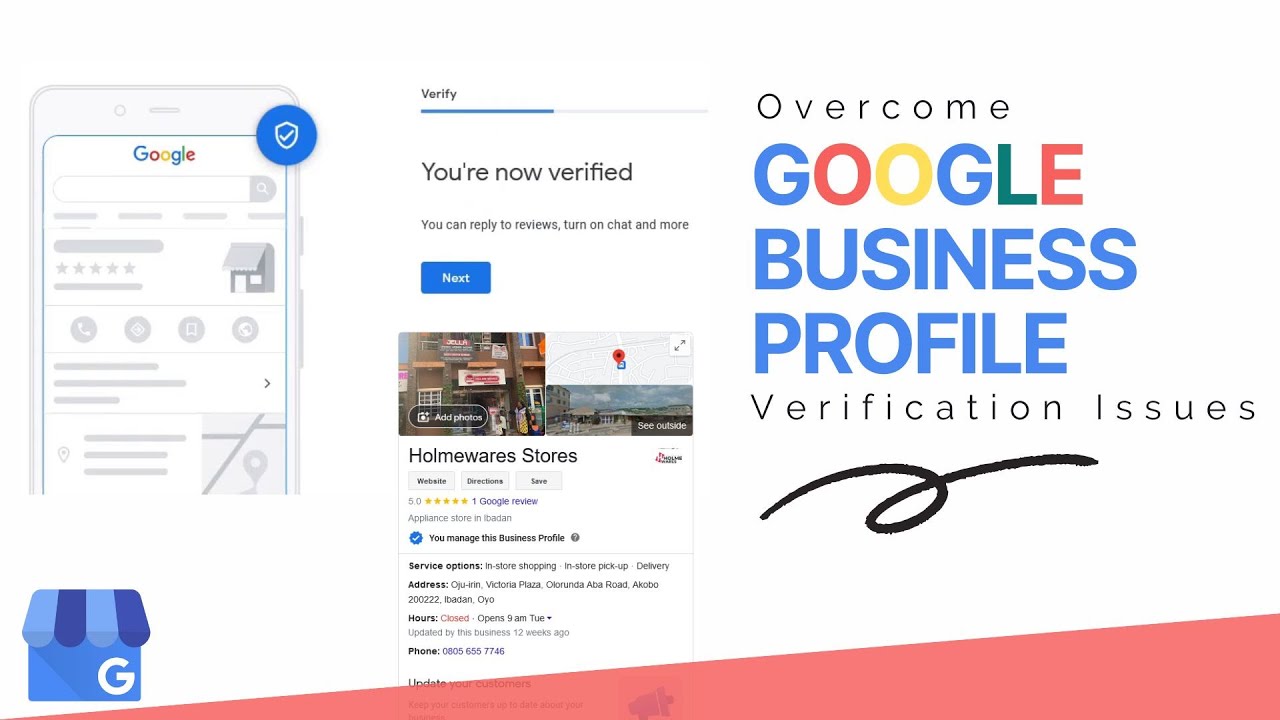
A business does not always need a traditional storefront to build a presence on Google. Many service based businesses operate from home, travel to customers, or provide services within a defined area without maintaining a public office. This often creates an important question for business owners who want to appear on Google Search and Google Maps. Can you verify Google Business Profile without a physical store? The answer depends on the type of business, how customers interact with the business, and whether the profile meets Google Business Profile eligibility requirements.
Google Business Profile verification is designed to establish that a business is genuine and that the information shown to customers is accurate. A company that does not have a customer facing storefront may still have options for establishing its business presence when it operates in a way that qualifies for a profile. The important part is creating a profile that accurately represents how the business works instead of trying to make a business without a location appear as a traditional storefront.
This guide explains how Google Business Profile verification works for businesses without a physical store, what service area businesses should know, how verification can be approached, which mistakes can cause problems, and how to build a stronger Google Business Profile without displaying a customer facing address.
Can You Verify Google Business Profile Without A Physical Store?
Yes, an eligible business can potentially verify a Google Business Profile without having a traditional physical store where customers visit. This is particularly relevant for service area businesses that travel to customers or provide services within specific areas. The absence of a storefront does not automatically mean that a business cannot have a Google Business Profile.
Google looks at the nature of the business and the way it interacts with customers. A business should represent its actual operating model accurately and should not create a profile simply to gain visibility without having a legitimate business activity. When the business qualifies, its profile can be structured around the services it provides and the areas it serves.
Businesses should also understand that having a website or social media page alone does not make a business eligible for a Google Business Profile. The business needs to meet the applicable requirements and maintain information that accurately reflects its real world operations.
How Google Business Profile Works Without A Physical Store
A Google Business Profile can be useful for businesses that do not receive customers at a public storefront. Instead of relying on a visible shop or office address, an eligible business may operate as a service area business. This model is suitable for companies that visit customers at their homes or workplaces or provide services within a defined geographic area.
For example, a mobile technician may travel to customers instead of asking customers to visit an office. A cleaning company may provide services at customer properties. A plumber may operate from a home based location while traveling to different jobs. A consultant may meet clients at their locations or provide services remotely while serving a specific market.
In these situations, the Google Business Profile should explain the actual business model. The goal is not to create the appearance of a storefront. The goal is to provide customers with accurate information about the business, its services, its service area, and how customers can contact it.
Who Can Use Google Business Profile Without A Storefront?
Businesses without a traditional store can include many different types of service providers. Eligibility depends on the actual business operation rather than simply whether the owner has a commercial storefront. Businesses should always make sure that their profile represents a real business that serves customers in an eligible way.
- Home service companies
- Mobile repair providers
- Cleaning businesses
- Plumbing professionals
- Electricians
- Landscaping providers
- Construction service providers
- Independent consultants
- Professional service providers
- Mobile technicians
- Home based service businesses
Each business should evaluate its own circumstances before creating or verifying a profile. The correct setup depends on how the business serves customers and whether the business meets Google's current requirements for a Business Profile.
Service Area Businesses And Google Business Profile Verification
Service area businesses are especially relevant when discussing Google Business Profile verification without a physical store. These businesses generally travel to customers instead of operating a public location where customers regularly visit. Their Google presence can therefore focus on the geographic areas where they provide services.
A service area business should avoid using a location that does not represent its actual operations. Using an address simply to create the appearance of a local storefront can create verification and profile management problems. Accurate information is much more important than creating a profile that looks like a traditional shop.
Businesses that need help understanding the verification process can also review our Google Business Profile verification guide for additional information about the overall verification process.
Does Google Business Profile Require A Physical Address?
Not every eligible business needs to display a customer facing physical address on its public profile. The appropriate profile setup depends on how customers interact with the business. A service area business may not need to show its operating address publicly when customers do not visit that location.
This distinction is important because a business can have a real operating location without functioning as a public storefront. For example, a business owner may work from home and travel to customers. The business still exists and provides genuine services, but customers do not visit the home address for normal business interactions.
Business owners should therefore focus on describing the actual customer relationship rather than trying to fit every business into a storefront model.
Google Business Profile Verification Requirements Without A Store
Verification requirements can vary depending on the profile and the verification method offered by Google. A business without a store should be prepared to provide information that supports the legitimacy of its operations. The information should be accurate, consistent, and connected to the actual business.
Important areas to review before verification include the business name, primary category, services, service area, contact information, website information, and other profile details. Businesses should also make sure that the information used during verification matches the way the business operates.
- Use an accurate business name
- Select an appropriate business category
- Describe genuine services
- Maintain accurate contact information
- Use a suitable service area
- Keep business information consistent
- Follow Google Business Profile policies
Preparing this information before starting verification can make the process more organized and can reduce confusion when Google requests additional information.
How Does Google Verify A Business Without A Store?
The verification method available to a business is determined by Google and can vary between profiles. A business without a storefront may receive a verification option that allows Google to confirm that the business is genuine and that the person managing the profile is connected to the business.
Depending on the profile, Google may provide verification through available methods such as video verification or another method shown inside the Business Profile account. Business owners should use the method that Google provides rather than attempting to create an alternative verification process.
Businesses that are specifically dealing with video verification can learn more through our Google Business Profile video verification guide. Understanding what Google may look for can help a business prepare its profile and verification process more carefully.
What Should You Prepare Before Google Business Profile Verification?
Preparation is one of the most important parts of a successful verification process. A business without a physical store should make sure that its online information and actual business operations tell the same story. Inconsistent information can make it harder to establish that the profile represents a genuine business.
Before starting verification, review the profile carefully. Confirm the business name, category, phone number, website, service area, business description, and other information. Make sure the information is current and does not contain unnecessary details that could create confusion about the business model.
It can also be useful to prepare evidence that demonstrates how the business operates. Depending on the verification method and Google's requirements, this may include business equipment, branded materials, work vehicles, tools, documentation, or other relevant evidence connected to the actual business.
Can A Home Based Business Get Google Business Profile Verification?
A home based business may qualify for Google Business Profile when it provides eligible services and meets the applicable requirements. Working from home does not automatically make a business ineligible. What matters is the nature of the business and how customers interact with it.
For example, a professional who works from home and travels to customers may operate as a service area business. A contractor may manage administrative work from home while performing projects at customer properties. A mobile technician may keep equipment at home while traveling to different service locations.
The profile should accurately represent these operations. Business owners should not create a fake storefront or use an address simply because they believe a physical location will make verification easier.
Can You Verify Google Business Profile Without An Office?
Not having a traditional office does not automatically prevent an eligible business from using Google Business Profile. Many modern service businesses do not require a public office because their employees travel to customers or provide services in the field.
The important consideration is whether the business is legitimate and eligible. A business should have genuine customers, genuine services, and an operating model that can be accurately represented on its profile. Google Business Profile is intended to help customers find legitimate businesses rather than create listings for businesses that do not actually operate.
If your profile is already created but you are having difficulty completing verification, you can review our Google Business verification status guide to understand how to check the current status of your verification.
What Proof Can Help With Business Verification Without A Store?
The exact information requested by Google can vary, so businesses should follow the verification instructions shown in their account. However, a business can prepare information that clearly demonstrates its real operations before beginning the process.
- Business equipment used to provide services
- Tools used during customer work
- Branded business materials
- Work vehicles connected to the business
- Business documents
- Service related materials
- Accurate website information
The purpose of preparing this information is not to manufacture proof. It is to make sure that the business can accurately demonstrate what it does if Google requests verification evidence.
Common Google Business Profile Verification Problems Without A Physical Store
Businesses without storefronts can sometimes experience verification problems because their profile does not clearly explain their operating model. A business that uses a home address, service area, virtual office, or another location should be particularly careful about how that information is represented.
One common problem is inaccurate address information. Another is selecting a business category that does not match the actual service. Businesses can also create problems by using information that is inconsistent across their website and profile.
When a profile is suspended or verification becomes difficult, it is important to understand the actual reason instead of repeatedly submitting the same information. Our Google Business Profile recovery guide can also be useful when access to a profile has been lost or the business needs help understanding recovery options.
Why Accurate Business Information Matters
Accurate information is one of the strongest foundations of a healthy Google Business Profile. Customers need to know what the business does, how to contact it, and where services are available. Google also needs reliable information to understand the nature of the business.
A profile that contains inconsistent names, misleading addresses, unrelated categories, or unclear services can create unnecessary problems. A business should therefore review its information before requesting verification and continue keeping the profile updated after verification.
Accuracy should also extend beyond the Google profile. If the business website, social profiles, business documents, and other online information contain completely different information, it can become harder for customers to understand the business.
Physical Store Business Compared With Service Area Business
The difference between a storefront business and a service area business is important when setting up Google Business Profile. A storefront business normally has a location where customers can visit during business operations. A service area business normally provides services at customer locations.
| Storefront Business | Service Area Business |
|---|---|
| Customers visit the business location | Business travels to customer locations |
| Public location is important | Service area is important |
| Customers interact at the business location | Customers receive services at their location |
| Storefront information may be visible | Customer facing address may not be displayed |
Choosing the correct model helps the business maintain a more accurate Google Business Profile and gives customers a clearer understanding of how services are delivered.
Can A Business Use A Virtual Office For Google Business Profile?
Businesses should be careful when considering virtual offices or shared locations for Google Business Profile. Simply having access to a mailing address does not necessarily mean that the address represents a qualifying business location.
The key consideration is how the business actually operates and whether customers can interact with the business at the location in a way that meets Google's requirements. Using an address only to obtain local visibility can create serious profile problems.
Businesses without a qualifying customer facing location should focus on an appropriate service area setup rather than trying to make a virtual address appear to be a traditional storefront.
Google Business Profile Verification For Mobile Businesses
Mobile businesses can have unique operating models because they may not remain at one location. A mobile service provider can travel to different customers throughout the day while managing its business from a home base or another private location.
For these businesses, the profile should focus on the actual services and geographic area served. The business should also maintain accurate information about its category and customer service model.
A mobile business should never create multiple listings simply because it serves customers in multiple areas. The correct profile structure depends on the actual business operation and Google's guidelines.
How To Improve Your Google Business Profile Without A Physical Store
Verification is only one part of managing a strong Google Business Profile. After verification, businesses should continue improving the profile so customers can quickly understand what the business offers.
- Use the most accurate primary category
- Add relevant services
- Write a clear business description
- Keep business hours accurate
- Use genuine business photos
- Maintain current contact information
- Respond professionally to customer reviews
- Keep service areas accurate
A complete profile gives customers more information before they contact the business. It can also provide Google with clearer signals about the services and markets associated with the business.
Google Business Profile Verification And Google Maps Visibility
Many businesses want verification because they also want to appear on Google Maps. Verification is an important part of establishing a Business Profile, but verification alone does not guarantee a specific ranking or position in Google Maps.
Local visibility can depend on several factors, including relevance, distance, prominence, competition, profile completeness, customer interactions, and the overall quality of business information. Businesses without storefronts should therefore think beyond verification and build a useful profile that genuinely serves potential customers.
If your profile is verified but does not appear correctly on Google Maps, you may find our guide to Google Business Profile not showing on Google Maps useful for understanding common causes and possible solutions.
What To Do If Google Business Profile Verification Is Taking Too Long
Verification can sometimes take longer than a business owner expects. The time required can depend on the verification method and the circumstances of the profile. Businesses should avoid repeatedly changing important information while a verification process is underway unless a correction is genuinely necessary.
If you are waiting for verification, first check the status inside your Business Profile account and follow any instructions Google provides. If additional information is requested, provide accurate information that relates directly to the business.
For more information about verification timelines, you can read our guide on how long Google Business Profile verification can take.
How To Check Google Business Profile Verification Status
Knowing the current verification status can help prevent unnecessary changes and repeated verification attempts. Business owners should regularly check the Business Profile account for messages, verification instructions, or requests for additional information.
If the profile indicates that verification is still pending, follow the instructions provided by Google. If verification has failed, review the profile information carefully before attempting another process.
Our Google Business verification status resource provides additional guidance for businesses that want to understand what their current verification status means.
Why Businesses Without Stores Should Avoid Fake Locations
A business without a storefront may feel pressure to use an address because it believes that a visible location will improve local rankings. This approach can create more problems than benefits. A Google Business Profile should represent the real business rather than an address selected only for search visibility.
Using a fake address, an unsuitable location, or misleading information can create verification issues and potentially lead to profile suspension. A service area setup is often more appropriate for an eligible business that does not receive customers at a public location.
Long term profile stability is more valuable than trying to create short term visibility through inaccurate information.
How Professional Google Business Profile Verification Support Can Help
Businesses that are unfamiliar with Google Business Profile requirements may find the verification process confusing. This is especially true when the company does not operate from a conventional storefront and needs to understand how its business model should be represented.
Professional support can help businesses review their profile information, understand potential verification issues, prepare for available verification methods, and identify mistakes that may be causing unnecessary problems. The objective should always be to create a profile that accurately represents the business and follows Google's requirements.If you need professional assistance, you can learn more about our Google Business Profile verification service and the type of support available for businesses dealing with verification challenges.
🚀 Need Help With Google Business Profile Verification?
If your Google Business Profile requires verification, video verification, support assistance, or you are facing verification problems because your business does not operate from a traditional storefront, our team can help you understand the available options and prepare your profile correctly. We have assisted businesses with Google Business Profile verification and related profile issues. Get professional guidance and take the next step toward managing your business presence on Google.
What Businesses Should Know Before Starting Verification
Before starting Google Business Profile verification, business owners should first understand how their company actually serves customers. This makes it easier to choose the correct profile setup and avoid unnecessary changes later.
A business that does not receive customers at its home or office should not present that location as a public storefront. Instead, the profile should communicate the service model accurately. This approach creates a more useful experience for both customers and Google.
Businesses should also make sure that the name, category, service information, contact details, website, and service area are accurate. Preparing these details before verification can make the process much more organized.
Google Business Profile Verification For Different Business Models
Different businesses can have very different operating models. A local shop may have a permanent location, while a contractor may travel to customers. A consultant may work remotely, while a mobile technician may spend most of the day on customer properties.
The correct Google Business Profile setup should reflect these differences. Businesses should not copy the setup of another company simply because that company appears prominently in local search results.
For businesses with multiple locations, verification can also require additional planning. If you manage several legitimate business locations, our guide to verifying multiple business locations on Google can provide useful information about the process.
Can You Transfer A Verified Google Business Profile?
Business ownership can change over time. A company may be sold, a marketing team may take over profile management, or a different employee may become responsible for the listing. These situations should be handled through the appropriate ownership process rather than creating duplicate profiles.If you are taking over an existing profile, our Google Business Profile ownership transfer guide can help explain the process and important considerations.
What If You Lost Access To Your Google Business Profile?
Losing access to a verified Business Profile can be stressful because the profile may already have valuable customer information, reviews, photos, and business history. Creating another profile without understanding the original ownership situation may create additional complications.
The correct approach depends on why access was lost and who currently controls the profile. Businesses should work through the appropriate recovery and ownership process whenever possible.If this is your situation, our Google Business Profile recovery guide provides additional information about recovering access and handling profile ownership issues.
Google Business Profile Verification Without A Store And Customer Trust
Verification is not only about appearing in search results. It also helps establish confidence when potential customers search for a business online. Customers want to know that the company they are contacting is real, active, and capable of providing the advertised service.
A well maintained profile can provide useful information about services, business hours, contact options, customer reviews, photos, and service areas. For a business without a storefront, these details can be particularly important because customers cannot rely on a physical shop to understand the business.
Clear information can therefore help create a more professional online presence while supporting customers during their decision making process.
Benefits Of A Verified Google Business Profile Without A Physical Store
An eligible business without a physical store can still benefit from having a properly managed Google Business Profile. A verified profile can provide customers with a central place to find important information about the company and its services.
- Greater visibility for relevant local searches
- Better access to customer contact information
- Clearer presentation of services
- Improved customer confidence
- Greater control over business information
- Presence across Google Search and Google Maps
These benefits depend on eligibility, verification, profile quality, competition, relevance, and many other factors. Verification should therefore be viewed as the foundation of a business presence rather than a guarantee of a particular search position.
Mistakes To Avoid During Google Business Profile Verification
Businesses can avoid many unnecessary problems by reviewing their information before beginning verification. The most important principle is to represent the business honestly and accurately.
- Do not use an address where the business does not operate
- Do not select a misleading business category
- Do not create duplicate profiles for the same business
- Do not provide false verification information
- Do not use unrelated business names or keywords
- Do not create fake locations for local ranking purposes
- Do not ignore verification instructions provided by Google
Following a clean and accurate approach is usually better for long term profile management than attempting shortcuts.
How To Keep A Google Business Profile Healthy After Verification
Getting verified is not the end of the process. Businesses should continue maintaining their profile and keeping important information current. Changes to business hours, services, contact information, service areas, or other details should be reflected when appropriate.
Businesses should also monitor customer reviews and questions and respond professionally. Genuine photos and useful service information can help customers understand the company before contacting it.
Regular profile maintenance can also help prevent outdated information from confusing customers. A verified profile should continue to represent the business accurately as the company grows or changes.
Google Business Profile Verification Without Physical Store Checklist
- Confirm that your business is eligible for a Google Business Profile
- Understand whether your business operates as a service area business
- Use the correct business name
- Select an accurate primary category
- Describe your genuine services
- Set the appropriate service area
- Keep contact information accurate
- Prepare relevant business information before verification
- Use the verification method provided by Google
- Keep your profile information updated after verification
Final Thoughts On Google Business Profile Verification Without A Physical Store
Can you verify Google Business Profile without a physical store? For eligible businesses, the answer can be yes. A traditional storefront is not always necessary when a business genuinely provides services to customers and can accurately represent its operating model through an appropriate Business Profile setup.
The most important part is not finding a way around Google's requirements. The better approach is to understand the business eligibility requirements, choose the correct profile setup, provide accurate information, and complete the verification method that Google makes available for the profile.
Service area businesses, home based professionals, mobile providers, and other eligible businesses can benefit from a properly managed Google Business Profile without pretending to have a storefront they do not operate. Accurate business information, genuine services, consistent profile details, and responsible management create a stronger foundation for long term visibility.
If your business does not have a physical store and you are unsure how to approach verification, professional guidance can help you identify the correct setup and avoid common mistakes. The goal should always be to create a trustworthy Google Business Profile that accurately represents your business and gives customers useful information.
Frequently Asked Questions About Google Business Profile Without A Physical Store
Can you verify Google Business Profile without a physical store?
Yes, eligible businesses can potentially verify a Google Business Profile without a traditional customer facing storefront. Service area businesses are a common example because they travel to customers instead of receiving customers at a public business location.
Can a service area business get Google Business Profile verification?
Yes, an eligible service area business can have a Google Business Profile when it provides genuine services and follows the applicable requirements. The profile should accurately represent the areas where the business serves customers.
Do I need a physical office for Google Business Profile verification?
No, not every eligible business needs a customer facing office. Businesses that travel to customers or operate as service area businesses may be able to use a profile without displaying a public business address.
Can a home based business verify Google Business Profile?
A home based business may qualify when it provides eligible services and meets Google's requirements. The correct setup depends on whether customers visit the home location or the business provides services at customer locations.
Can I hide my address on Google Business Profile?
Eligible service area businesses can generally manage their profile without displaying a customer facing address when customers do not visit the business location. The profile should still contain accurate information about how the business operates.
What verification method can I use without a physical store?
Google determines which verification methods are available for each Business Profile. Depending on the profile, Google may provide video verification or another available verification method through the Business Profile account.
Why is Google Business Profile verification difficult without a storefront?
Verification can become difficult when the profile information does not clearly represent the business, when the address is unsuitable, or when the business cannot provide information that supports its actual operations.
Can I use a virtual office address for Google Business Profile?
A virtual office address should not automatically be treated as a qualifying business location. Businesses should use an address only when it accurately represents an eligible business location and follows Google's requirements.
Can a mobile business verify Google Business Profile?
A mobile business may qualify when it provides genuine services and meets Google's requirements. Mobile businesses should accurately represent their service model rather than creating a profile that suggests customers visit a storefront.
Can an online business verify Google Business Profile without an office?
Eligibility depends on the business model and how the company interacts with customers. An online presence by itself does not automatically make a business eligible for a Google Business Profile.
Does Google Business Profile verification guarantee Google Maps rankings?
No, verification does not guarantee a particular ranking on Google Maps. Local visibility depends on several factors including relevance, distance, prominence, competition, profile quality, and customer interactions.
Can a business without a store appear on Google Maps?
Eligible service area businesses can appear on Google Maps when their Business Profile meets the requirements and is properly verified. Visibility depends on eligibility and many other local search factors.
What should I prepare before verifying Google Business Profile without a store?
Review your business name, category, services, service area, contact information, website information, and other profile details. You should also be prepared to demonstrate that the business is genuine and actively operating if Google requests additional information.
Can Google ask for video verification without a physical store?
Yes, Google may provide video verification as the available verification method for a Business Profile. The exact method depends on the profile and the options Google makes available to that business.
What should I do if Google Business Profile verification fails?
Review the profile carefully and identify whether the business information, address, category, service area, or other details accurately represent the business. Follow Google's instructions and correct genuine issues before attempting another verification process.
Can I create multiple Google Business Profiles without physical stores?
Multiple profiles should only be created when there are legitimate businesses or locations that qualify for separate profiles. Creating duplicate listings for the same business can create profile management and verification problems.
How long does Google Business Profile verification take without a physical store?
The time required can vary depending on the verification method and the circumstances of the profile. Businesses should follow the instructions shown in their account and avoid unnecessary profile changes while verification is being processed.
Can Webo Creators help with Google Business Profile verification?
Webo Creators provides professional support for businesses dealing with Google Business Profile verification and related profile issues. Assistance can be useful when a business does not operate from a traditional storefront or is experiencing verification difficulties.
.png)
.png)
.png)
.png)
.png)
.png)
.png)
.png)